Proxy Set Android App Guide
Overview
Proxy Set is a simple and efficient Android application that allows you to quickly configure and activate proxy connections on your mobile device. It offers straightforward setup with minimal steps.
Key Features
- Quick Setup: Simple proxy configuration in few steps
- Protocol Support: Works with HTTP and SOCKS5 proxies
- One-Tap Activation: Easy start/stop functionality
- Authentication Support: Handles username/password authentication
Installation
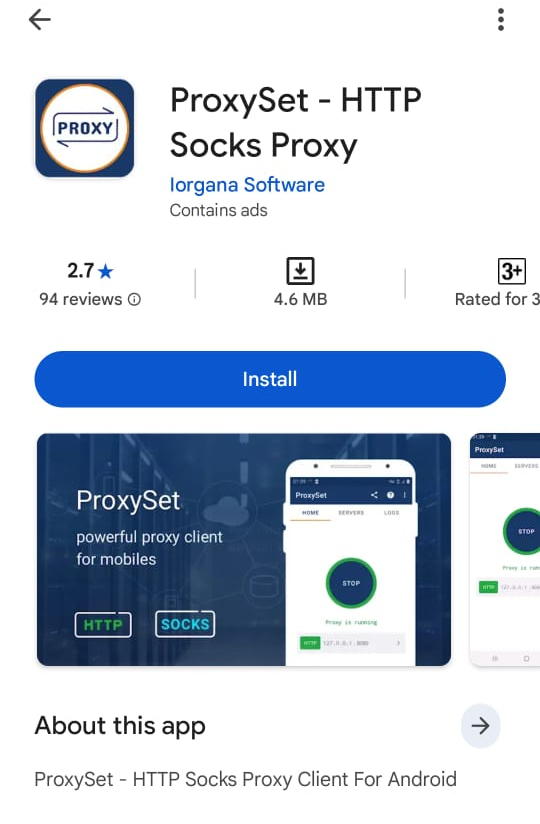
Step 1: Download the App
- Open the Google Play Store on your Android device
- Search for "Proxy Set"
- Tap Install to download and install the app
Configuration
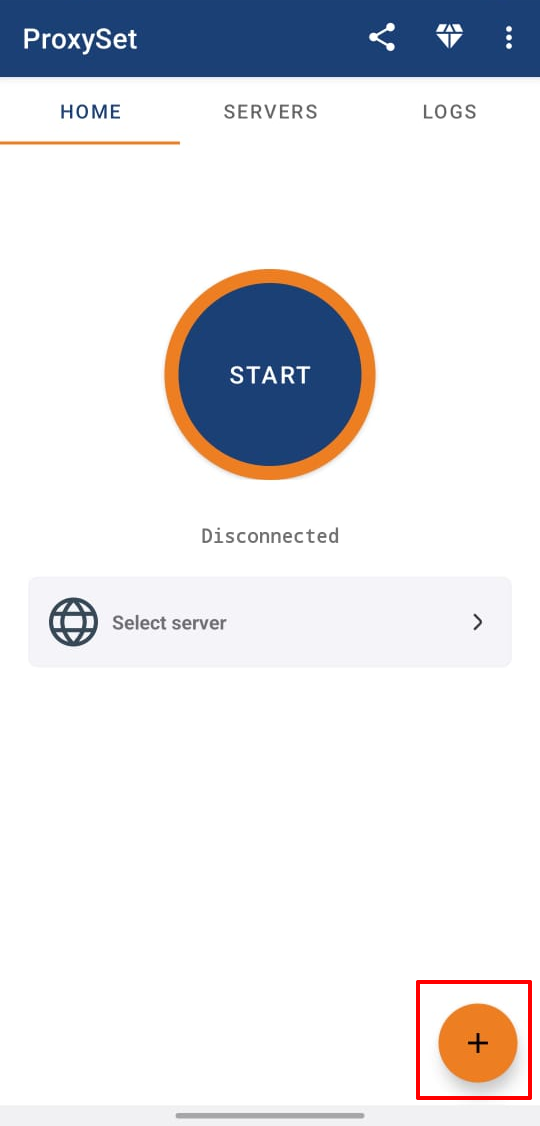
Step 1: Create Proxy Configuration
- Open the Proxy Set app
- Tap the + (plus) icon to add new proxy
Step 2: Enter Proxy Details
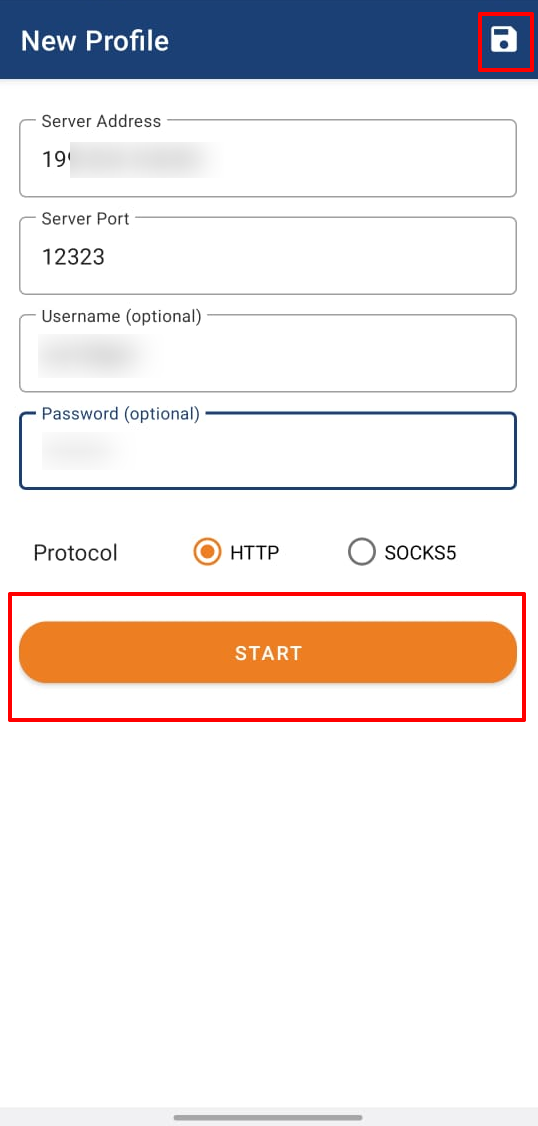
- Enter your Proxy IP address
- Enter your Proxy Port number
- If required, enter your proxy Username
- If required, enter your proxy Password
- Select Protocol (HTTP or SOCKS5)
- Tap Save in the top-right corner
Usage
Starting the Proxy
- Select your saved proxy configuration
- Tap Start to activate the proxy
- A Connection Request dialog will appear
- Tap OK to allow the VPN connection
Stopping the Proxy
- Tap Stop to deactivate the proxy
- The VPN connection will be terminated
Common Issues
Connection Request Denied
- Ensure you tap OK on the connection request
- Check if VPN permissions are enabled on your device
Proxy Not Working
- Verify proxy IP, port, and protocol are correct
- Check username and password if authentication is required
- Ensure your ExpressNodes service is active
Need Help?
If you encounter issues with Proxy Set:
- Verify your proxy server details are correct
- Test your connection with our verification tool
- Contact ExpressNodes support with specific error details