Proxy Helper Extension Guide
Overview
Proxy Helper is a simple and efficient Chrome extension that allows you to easily configure and switch between proxy servers. It provides straightforward proxy management for your browsing needs.
Key Features
- Multiple Protocol Support: Works with HTTP, HTTPS, and SOCKS5 proxies
- Simple Configuration: Easy setup with our provided proxy details
- Rule Management: Configure bypass rules for specific websites
Installation
Step 1: Install Extension
- Open the Chrome Web Store
- Search for "Proxy Helper"
- Click "Add to Chrome"
- Confirm by clicking "Add extension" in the dialog
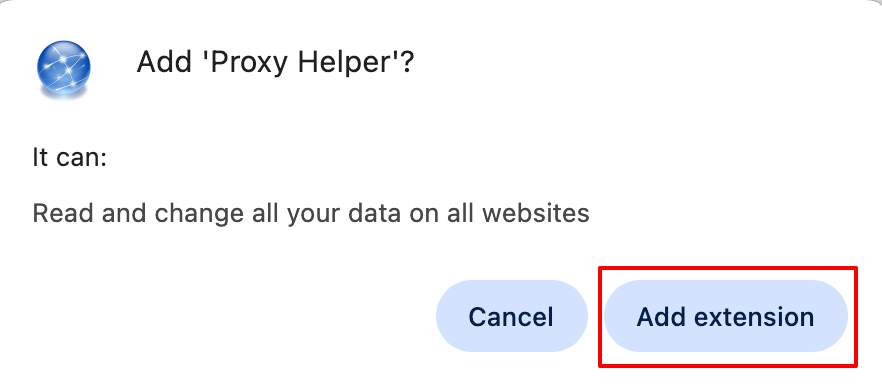
After installation, the Proxy Helper icon will appear in your browser toolbar.
Configuration
Step 1: Access Extension Settings
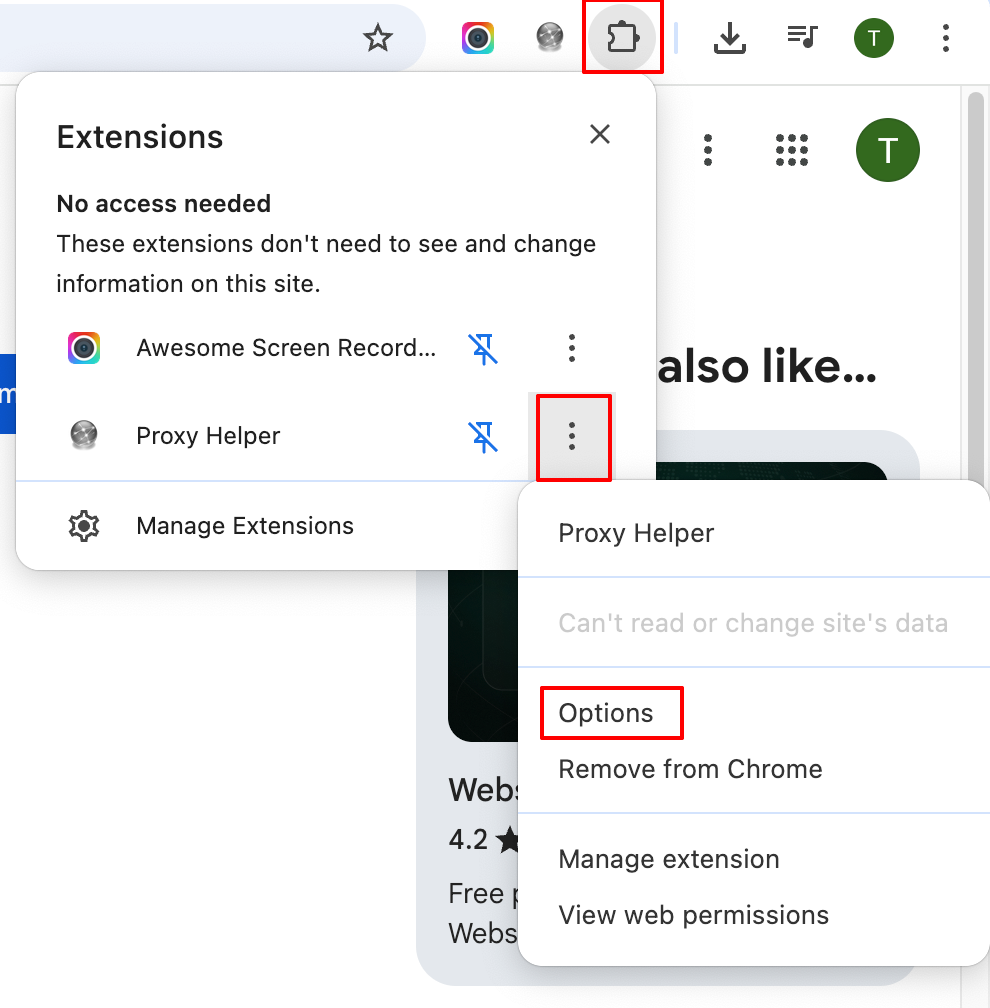
- Click the Extensions icon (puzzle piece) in Chrome toolbar
- Find Proxy Helper in the list
- Click the three dots next to Proxy Helper
- Select Options from the menu
Step 2: Configure Proxy Server
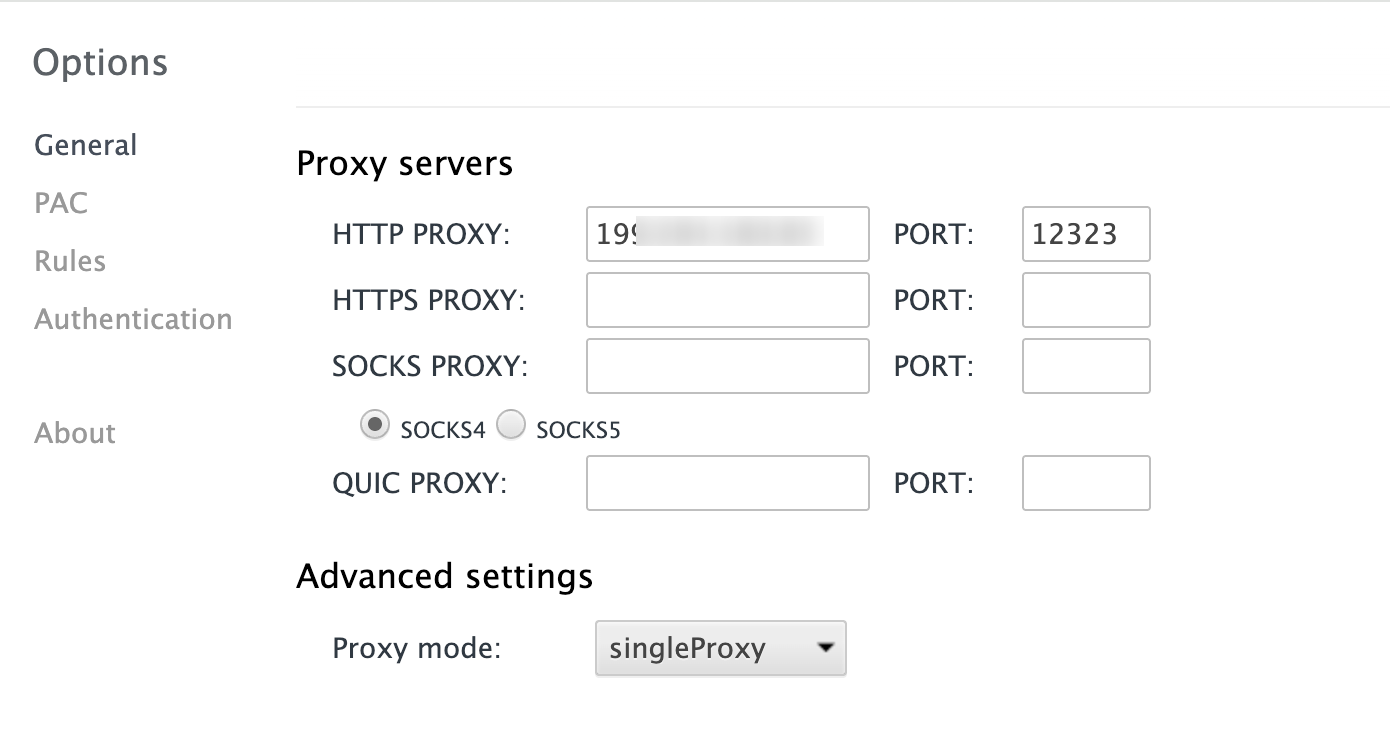
- In the Proxy Helper options page:
- Select your Proxy Type (HTTP, HTTPS, or SOCKS5)
- Enter your Proxy IP address in the server field
- Enter your Proxy Port number
Step 3: Set Up Authentication
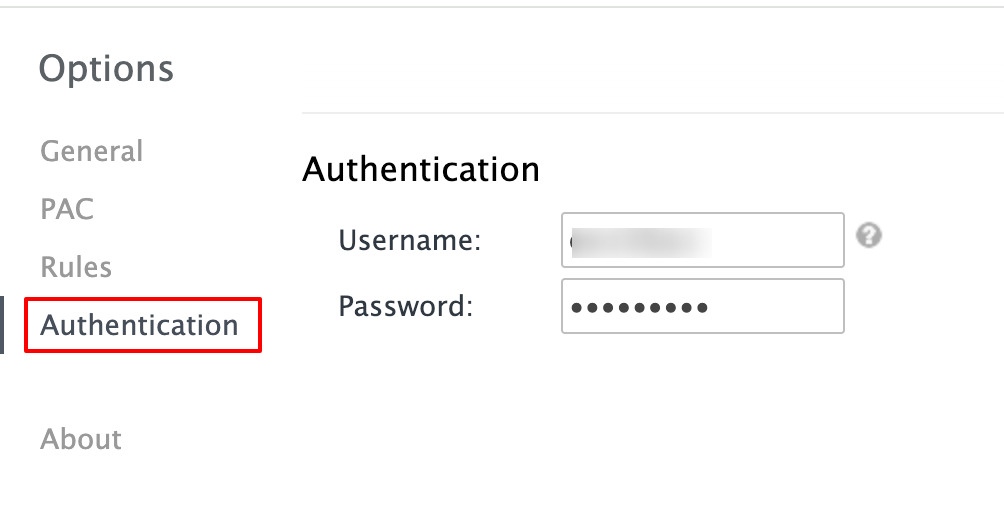
- Click on Authentication in the left menu
- Enter your Username and Password
Step 4: Configure Bypass Rules (Optional)
- Click on Rules in the left menu
- Add websites that should bypass the proxy
- Save your rules configuration
Usage
Activating the Proxy
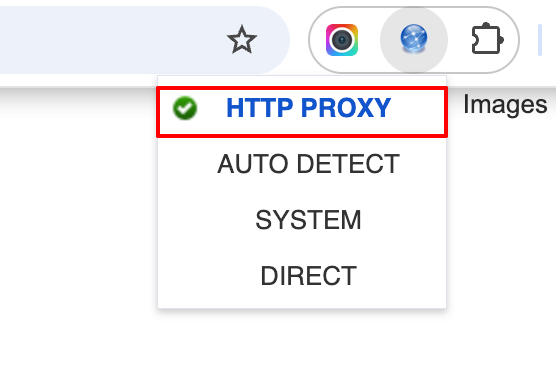
- Click the Proxy Helper icon in Chrome toolbar
- Select your configured proxy from the list
- To disable, click the icon and select "System"
Common Issues
Connection Not Working
- Verify proxy IP and port are correct
- Check username and password for authentication
- Ensure your ExpressNodes service is active
Authentication Errors
- Double-check credentials in Authentication settings
- Test with a simple website first
Extension Not Appearing
- Check if extension is enabled in Chrome settings
- Pin the extension to your toolbar for easy access
- Restart Chrome if needed
Need Help?
If you encounter issues configuring Proxy Helper:
- Verify your proxy server details are correct
- Test your connection with our verification tool
- Contact ExpressNodes support with specific error details